v0.5 Initial Public Release
Methodox™ Threads » Devlog
Overview
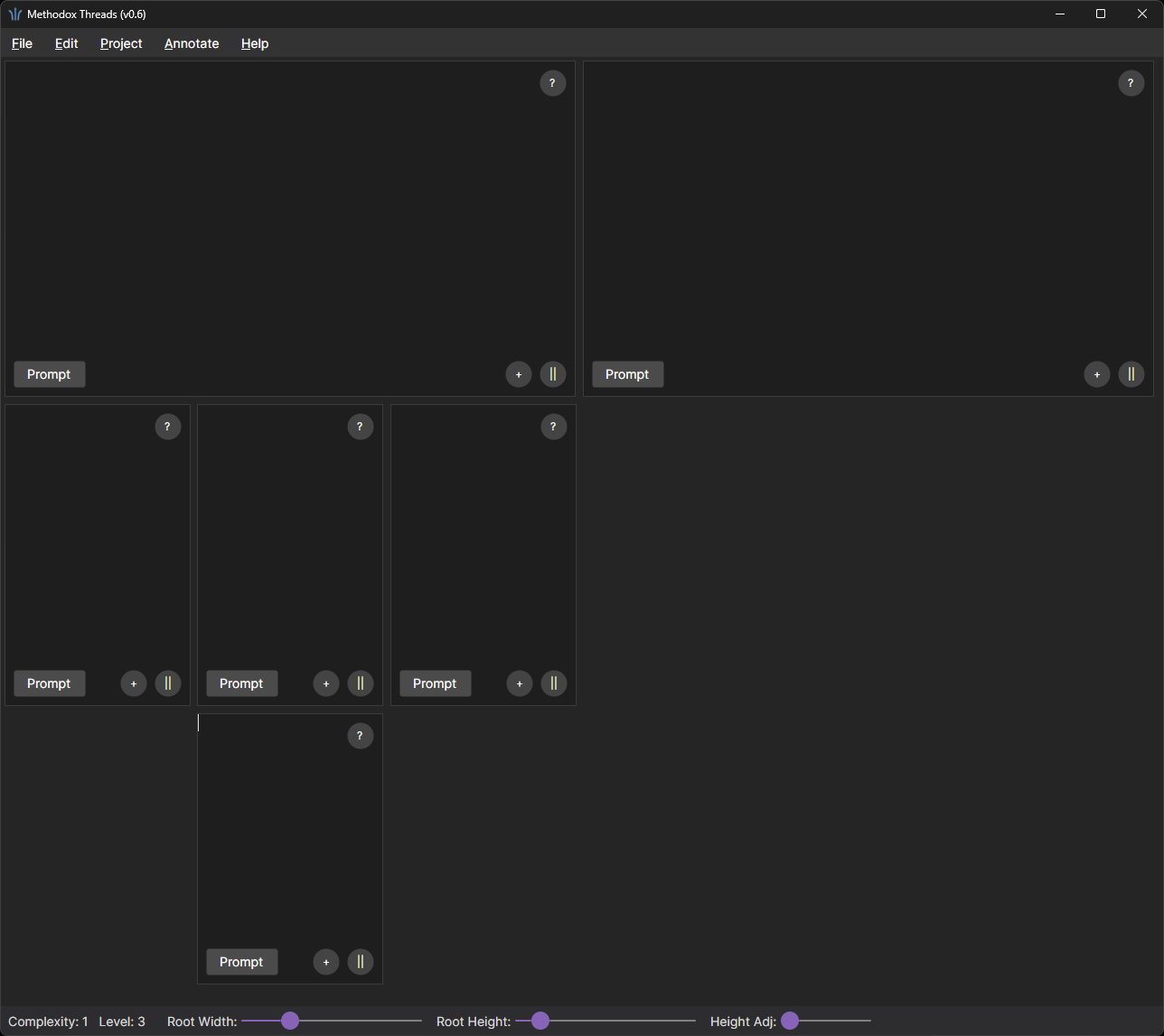
This project implements a multi-pane, branching text editor. It provides a tree-structured writing environment where each document can contain sibling and child documents, displayed simultaneously in a scrollable, linear canvas layout.
Features
This first public release includes:
Menus
- File: New, Open, Save (JSON)
- Edit: Create Sibling, Create Child
- Project: Edit README
- Annotate: Add Note to the focused document
Status Bar
- Current document complexity (subtree size)
- Current document level
- Root width and height sliders
Core Concepts
Project
A project stores a README (level 0) and a collection of level-1 documents. All data is serialized as JSON using a simple tree structure:
{
  "README": "Top-level summary or instructions for the project.",
  "Level1": [
    {
      "Content": "Overview of subsystem A",
      "Note": "Key considerations for subsystem A",
      "Prompt": "Explain subsystem A in detail.",
      "Children": [
        {
          "Content": "Detailed module description",
          "Note": "Additional notes",
          "Prompt": "Generate documentation for this module.",
          "Children": []
        }
      ]
    },
    {
      "Content": "Overview of subsystem B",
      "Note": "High-level notes for subsystem B",
      "Prompt": "Summarize subsystem B.",
      "Children": []
    }
  ]
}
Documents
A document contains editable markdown text and optional note text. Documents can create:
- Siblings at the same level
- Children that form a deeper branch
Documents are arranged visually in a linear horizontal/vertical layout according to their level.
Layout Rules
- Level 1 documents use a fixed root width/height controlled by sliders in the status bar.
- Siblings at the same level share equal width.
- Children of a document divide the parent width equally and always use roughly half the parent height (ratio configurable).
- The entire workspace scrolls both horizontally and vertically.
- Document editors maintain fixed dimensions once created; resizing the window does not reflow them.
- The layout is regenerated every time the structure changes.
Limitations
- No document deletion is provided; No threads reorganization; once created, documents persist.
- The editor provides only a custom dark theme, similar to VS Code One Dark Pro.
- All user content is editable markdown but advanced preview is WIP.
- GenAI integration is WIP.
References
Files
Methodox_Threads_win-x64_v0.5.zip 16 MB
70 days ago
Get Methodox™ Threads
Buy Now$2.99 USD or more
Methodox™ Threads
A structured, multi-branch workspace for thinking, writing, and conversation flow.
| Status | Released |
| Category | Tool |
| Author | Methodox Technologies, Inc. |
| Tags | conversation-management, gen-ai, methodox, No AI, note-management, open-ai, productivity, text-editor |
More posts
- Threads – Release Notes (v0.7.2)22 days ago
- Threads – Release Notes (v0.7)68 days ago
- Threads – Release Notes (v0.6)69 days ago
Leave a comment
Log in with itch.io to leave a comment.