Methodox™ Threads
A downloadable editor for Windows and macOS
Overview
Archive your chats, for it feels more secure we can find it whenever we want.
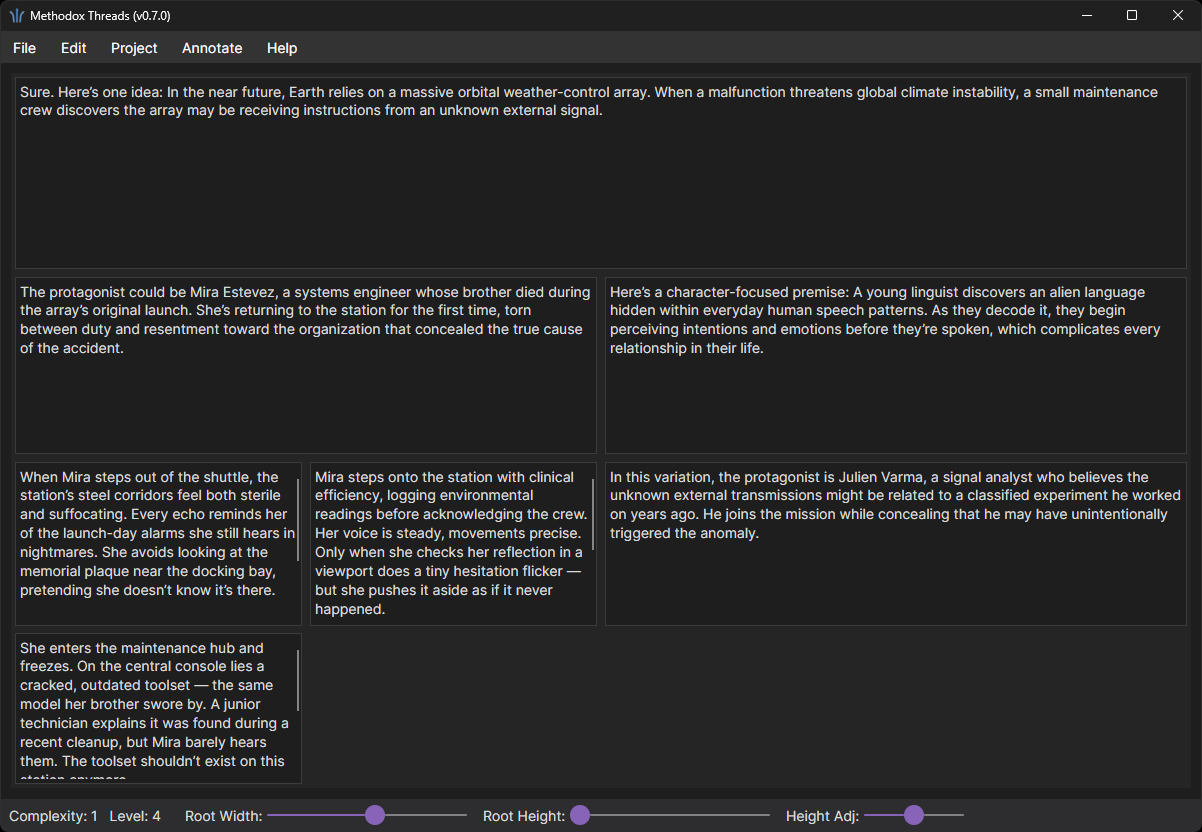
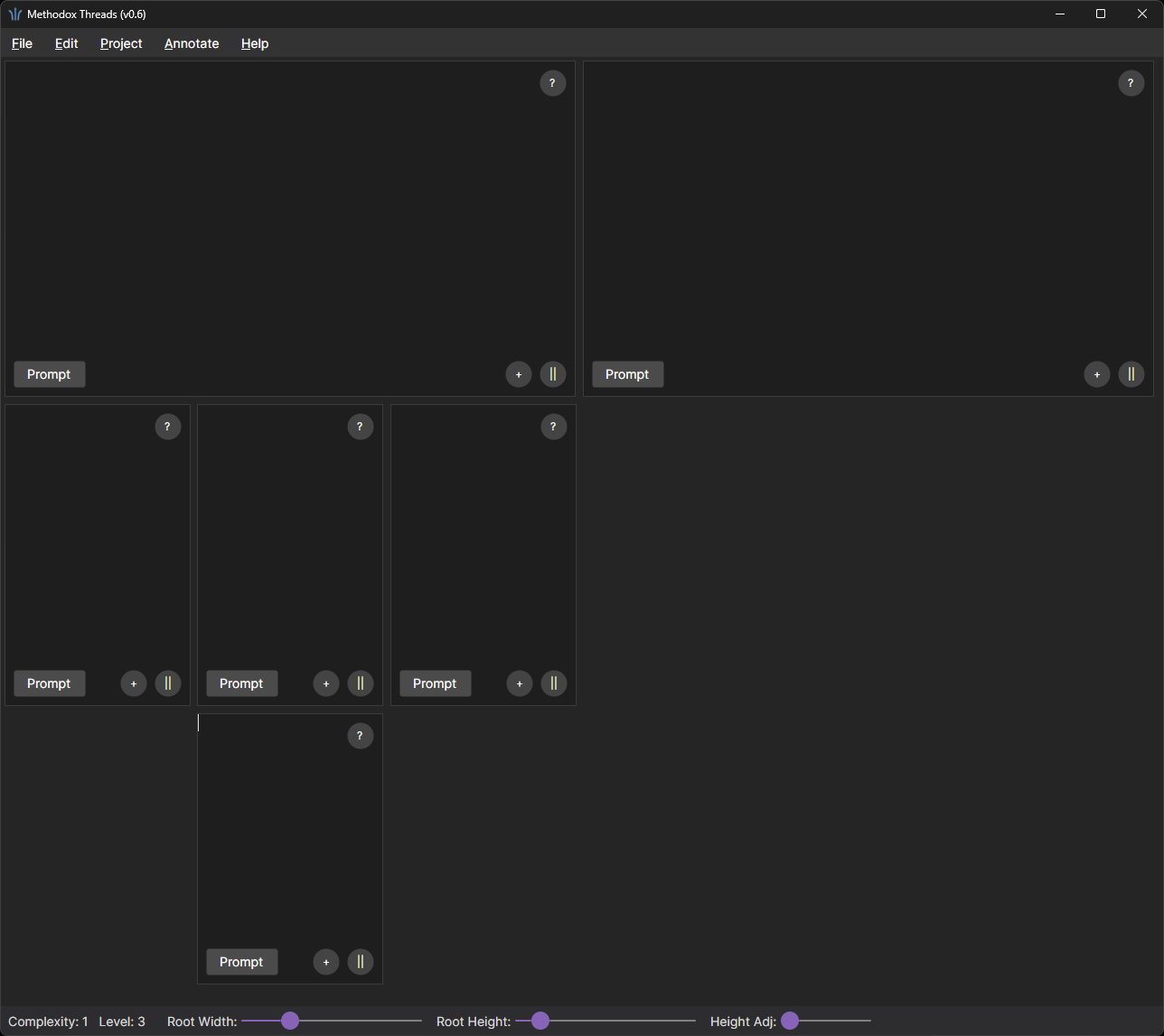
Methodox™ Threads is a linear, branching text environment designed for managing ideas the way they naturally develop - through threads, branches, and nested explorations. It provides a multi-pane, tree-structured layout where each thread exists in its own dedicated editor, aligned visually and navigable through horizontal and vertical scrolling.
Originally created to support workflows involving generative AI conversations, Threads offers an intuitive way to organize, branch, and iterate on complex discussions, and is becoming increasing useful on its own for archiving purpose. Each document can create siblings and children, forming a clear, persistent hierarchy of thought. Latest version supports direct attachments. Notes, Markdown editing, and seamless project serialization make it suitable for everything from research and writing to experimentation with conversational agents.
Threads gives users a clean, distraction-free canvas for structured thinking - enabling deep dives, alternative branches, and parallel ideas without losing the bigger picture.
Key Features
- Branching Document Tree: Create hierarchical documents with parent, child, and sibling nodes. Quickly expand or restructure ideas without losing context.
- Inline Notes per Document: Each node has an attached Note, accessible directly from the editor, so you can keep meta-thoughts, reminders, or commentary alongside the content they refer to.
- Per-Node Prompt Field - Each document node also includes a Prompt field, useful for:
- AI prompt drafting
- Writing briefs
- Design or implementation notes tied to that node
- Project-Based Workflow: Entire projects (including content, notes, prompts, and structure) can be saved and loaded as JSON files, making it easy to back up, version, or share project data across systems.
- README Support: Projects include a dedicated README area for high-level documentation, project goals, or usage notes.
- Markdown export: Import and Export to a folder of Markdown files for easier version control.
- Cross-Platform Desktop UI: Threads is supported on both Windows and Mac.
- Offline-First: All data is stored locally on your machine. There is no requirement for an online account or persistent network connection.
- Self-contained binary format: For most compact archival and to best preserve metadata of attachments, a .threads binary format is introduced in v0.8 to save entire conversation in a single file.
And more!
Other Features
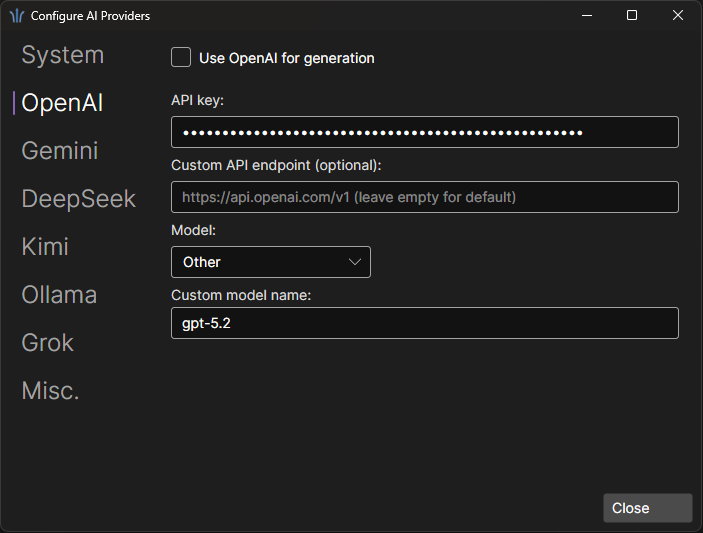
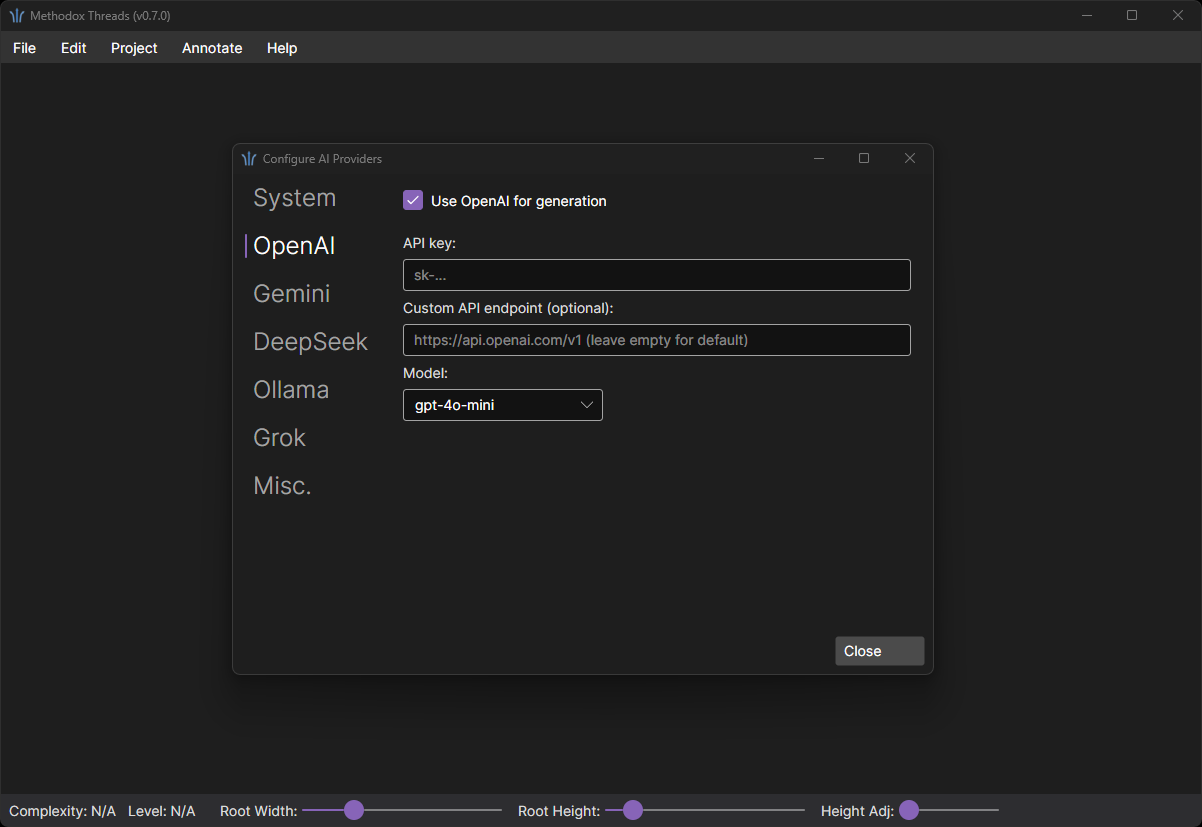
- Manage All Your keys in One Place
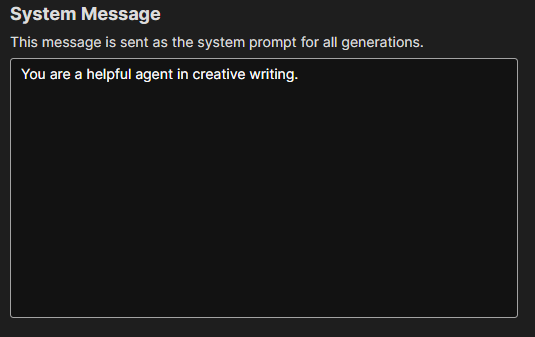
- Custom System Prompt
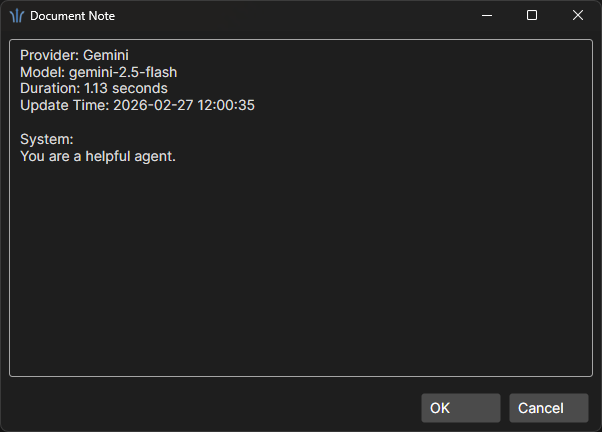
- Automatic Bookkeep Generation Details
- Autosave: Your conversation is automatically save in `C:\Users\<Username>\AppData\Local\MethodoxThreads\Autosave`
Tutorials
- Comprehensive Walkthrough
- Concept - Project and Documents
- Markdown Import and Export
- Manage Gen AI Workflows
- Conversation Completion with Generative AI (OpenAI)
Changelog
v0.5
Features:
- Initial release
- Basic branching document editing
- Open and save
v0.6
Features:
- Markdown folder import and export
v0.6.1
Change:
- Fix Markdown folder export format
GUI:
- Make documents layout centered in scroll view
v0.7
Features:
- Genereate document contents using GenAI! Allowed setting System prompt and configuration options. Currently supports OpenAI API.
GUI:
- Add Edit > Generate
- Add Edit > Configure...
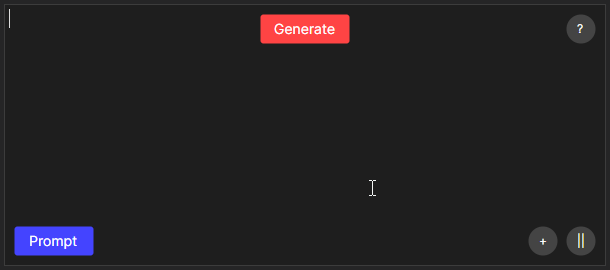
- Shows "Generate" button in hover overlay.
Changes:
- Allow longer children editors.
- Adjusted "Prompt" button background color to remove transparency. Looks better against text backgrounds.
- Action buttons are only visible when hovering over text editor.
Issue fix:
- Fix typo for changelog window.
v0.7.1
Issue fix:
- Fix issue with saving/loading GenAI configurations
v0.7.2
Features:
- Automatically save session project in app folder (as back up) when opening, importing, creating new document, and closing the application.
- Automatically populate document note from GenAI information.
GUI:
- Added
File > Recentsfor a list of recent files and export folders. - Added
View > Reading Modeto show document panels as rendered markdowns. - Added
View > Readfor reading documents in separate window. - Added
View > Fitthat attempts to fix document panels to current viewport. - Configure recent file count in Configuration window
Gen AI Integration:
- Support completion with Grok (xAI)
- Support completion with Ollama
- Support completion with DeepSeek
- Support completion with Gemini
- Add placeholder tab for Kimi
Updates:
- Hover action buttons no longer use transparent background, improving readability against texts.
- Allow exporting to folder with contents; A prompt is shown to ask for confirmation.
- Document Prompt accepts tab.
- Save system prompt in document Note.
Price change:
- Price increase from $1.99 to $2.99
v0.8.0
GUI:
- Hold `Shift` when creating child to auto fit
Updates:
- Trim empty leaf nodes when export
Issue fixes:
- Fix issue with configurations sometimes got reset
v0.8.1
Features:
- File attachments on documents: attach any file to a document's prompt (Q) or content (A), open it in its default application, or remove it.
- New binary project format (`.threads`). It is now the default for `File > Save...` and for session autosaves, and it is the only project format that preserves attachments together with their original file names.
- Markdown folder import/export carries attachments as `<DocumentID>_<Q or A>_<AttachmentID>.<Extension>` side files. Original attachment names are not part of this layout, so they are lost on export; use the binary format when the names matter.
- Saving to JSON still works and still drops attachments; a confirmation now warns before that happens.
GUI:
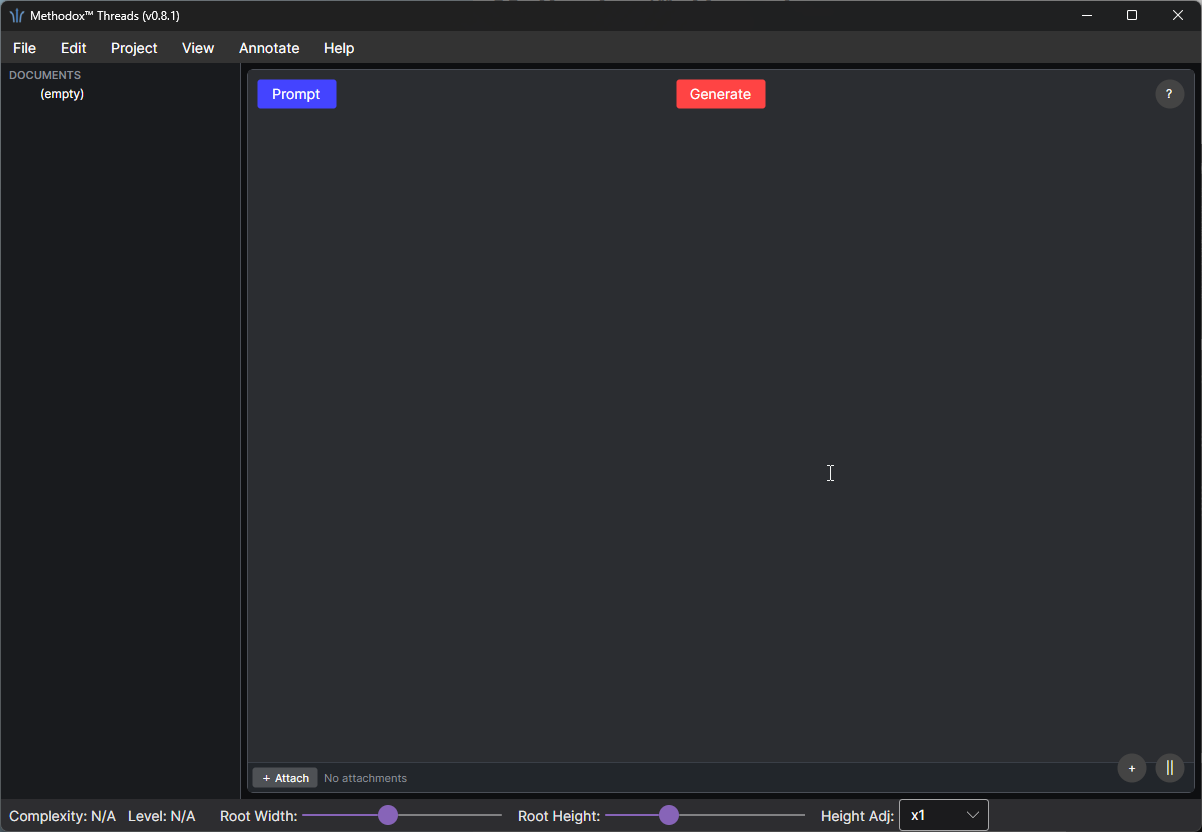
- Added a toggleable document tree panel on the left (`View > Show Document Tree`). Clicking an entry scrolls the canvas to that document and focuses it. Documents carrying attachments are marked.
- Increased the contrast between the canvas backdrop and the editor panels, and gave each document panel a framed, rounded card surface so text is easier to read.
- `Height Adj` is now a preset picker (x0.25, x0.5, x1) instead of a free-form slider.
- Hold `Shift` when creating a sibling to auto-fit the layout, matching the existing behaviour for creating a child.
- Moved the `Prompt` hover button from the bottom-left to the top-left of the document panel.
- Each document panel now shows its attachment row underneath the editor; the prompt popup shows the same row above its buttons.
- Scroll bars are always visible at a fixed width instead of expanding from a hairline on hover.
Issue fixes:
- Fix a crash when picking a `Height Adj` below x1 on a deep project. Levels shrink geometrically, and past a certain depth the panel size went negative, which Avalonia rejects. Panel edges are now floored at 40px, and the attachment row is dropped on panels too short to show it so the text still gets the space.
Updates:
- Optimize build size
Purchase
In order to download this editor you must purchase it at or above the minimum price of $2.99 USD. You will get access to the following files:
Development log
- Methodox™ Threads: v0.8.1 Release Notes18 days ago
- Methodox™ Threads: v0.7.2 Release NotesFeb 27, 2026
- Methodox™ Threads: v0.7 Release NotesJan 11, 2026
- Methodox™ Threads: v0.6 Release NotesJan 10, 2026
- Methodox™ Threads: v0.5 Release Notes - Initial Public ReleaseJan 10, 2026
Leave a comment
Log in with itch.io to leave a comment.